Your Sleeper username is displayed in the left sidebar of the Sleeper app. Look for your channel name at the bottom of the sidebar - this is your username.
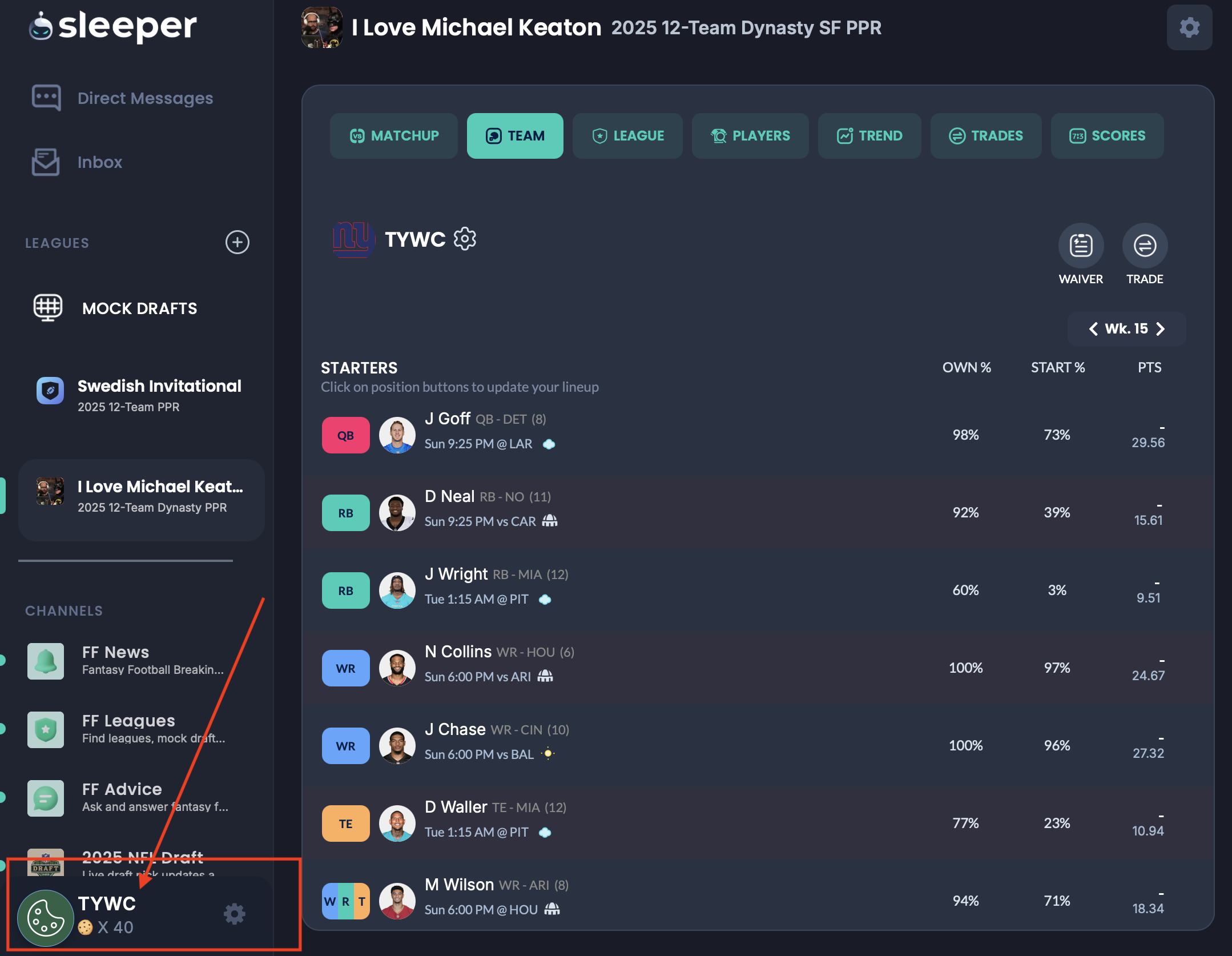
In this example, the username is "TYWC" (highlighted in the sidebar at the bottom)
On the Create New League page, select "Import from Sleeper" and enter your Sleeper username. The system will automatically find all your leagues for the current season.
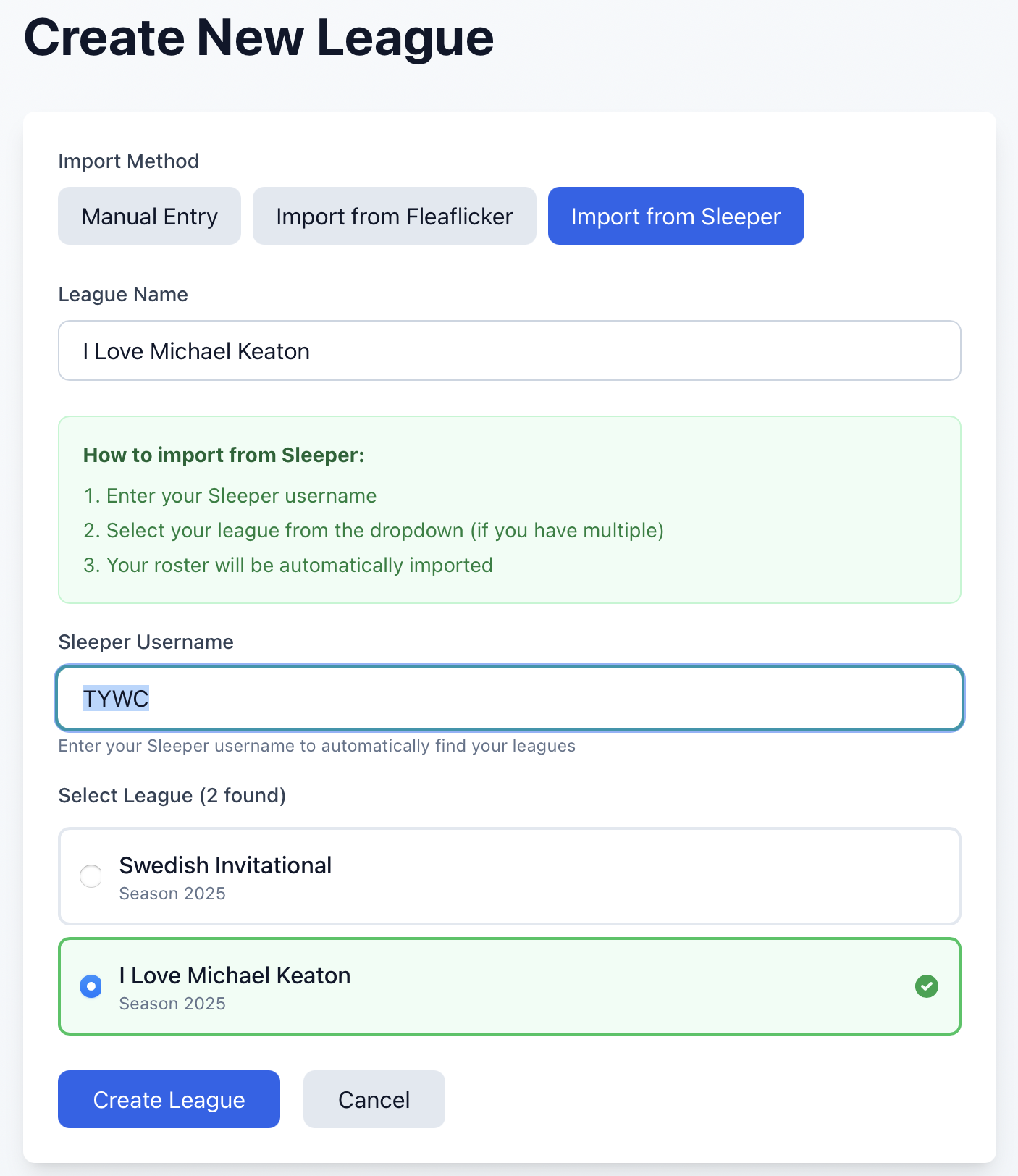
Enter your username and select your league from the dropdown
After selecting your league, click "Create League" and your roster will be automatically imported from Sleeper. All your players will be added to your Dynasty Manager league.
